
Graham Process Mapping Software or Visio
Dedicated Mapping Tool v General Drawing Tool
Use Graham Process Mapping for better business processes...
"Comparing Graham Process Mapping Software and Visio" as a PDF document (75K)
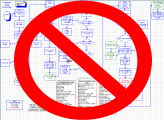
Use Graham Process Mapping for better business processes...
• Graham Process Mapping software was developed for one purpose only -- to draw Graham Process Maps.
• Visio is a general-purpose diagramming package intended to allow users to create free form diagrams.
• Graham Process Mapping software supports a proven method that has been used to document and improve information processes for over sixty years. A Chart Integrity Analysis Report may be run anytime to instantly report mapping errors (missing text, lines, symbols not associated with lines…) and situations that do not conform to the method.
• Visio doesn’t support any specific process mapping method other than providing symbols and offers no type of self-correction.
• The first thing to notice in the Graham Process Mapping software is that the mapping workspace is seemingly endless (the length limit is close to 150 feet). Graham object size is determined at printing so that the chart can be scaled to whatever paper size is available.
• The first task in Visio is to select a workspace
(page size) - Visio objects are a fixed size relative to the page size.
This limitation make it difficult to build good charts for large
processes. Visio pages now extend as needed, and they have the ability to
fit the page to your content. The page size can be adjusted for printing.
• With Graham Process Mapping software, charts flow left to right. The software does not allow the charter to chart vertically…this is consistent with the method and very helpful for people reading the charts.
• With Visio, the user can draw flows in any direction. While this may be a feature in freehand diagramming, for structured process charting it is only an invitation to stray from the method while making it more difficult for people working with the charts.
• Alternatives, Brackets and Effects (ways that symbols are connected) stretch vertically when rows are inserted.
• These have to be individually stretched or contracted with Visio.
• Lines draw automatically.
• This can be worked out in Visio, but it is difficult.
• Broken lines are automatically mended.
• This isn’t considered in Visio.
• Graham software automatically updates a very helpful Summary Key in the upper left corner of the chart whenever a symbol is added or removed.
• This isn’t considered in Visio.
• Graham software provides the capability to associate a person and location at any step. The person and location carry forward through every step until they are changed...then the change is carried forward. Charts display the person and location whenever they change (and wherever it adds clarity).
• This isn’t considered in Visio.
• Graham Process Mapping software provides the capability to convert charts to written Playscript procedures.
• This isn’t considered in Visio.
• Graham Process Mapping software provides the capability to associate quantities with every document, times with every step, and frequencies with every alternative path procedures and to calculate processing times for any segment of a chart.
• This isn’t considered in Visio.
• Graham Process Mapping software includes a Viewer / Printer that may be distributed freely. Graham Process Maps can be printed as pdf files using third party pdf writers. Graham Process maps reflect the reality of business processes and are used for detailed analysis. They are laid out horizontally and often quite long. For this reason, they are NOT conducive to HTML, Word, PowerPoint, Visio and other Page-based applications.
• Visio is page-based and can easily work with other page-based applications…however, Visio maps rarely provide business process data that can be used for analysis.
• Graham Process Charting includes Library Management Tools that enable users to build and manage their processes for Continuous Improvement.
• This isn’t considered in Visio.
This is not intended to be a comprehensive comparison between Graham Process Mapping and Visio. It’s purpose is to show the value of using a tool that was designed specifically for process mapping versus using a general diagramming software application.
1 Visio, Word and PowerPoint are trademarks of Microsoft Corporation.